TLS certificates and HTTPS
MILOUD NECILI
Fraîche Flow · IT Systems Integration
Project objective
Encrypt the Nextcloud web connection in the lab and manage the certificate, private key and web server configuration separately.
My implementation
- Generated a self-signed certificate and an RSA key with OpenSSL.
- Enabled the Apache SSL module and configured a VirtualHost on port 443.
- Configured the certificate and key paths in Apache.
- Tested HTTPS locally and through SSH port forwarding.
Technical context
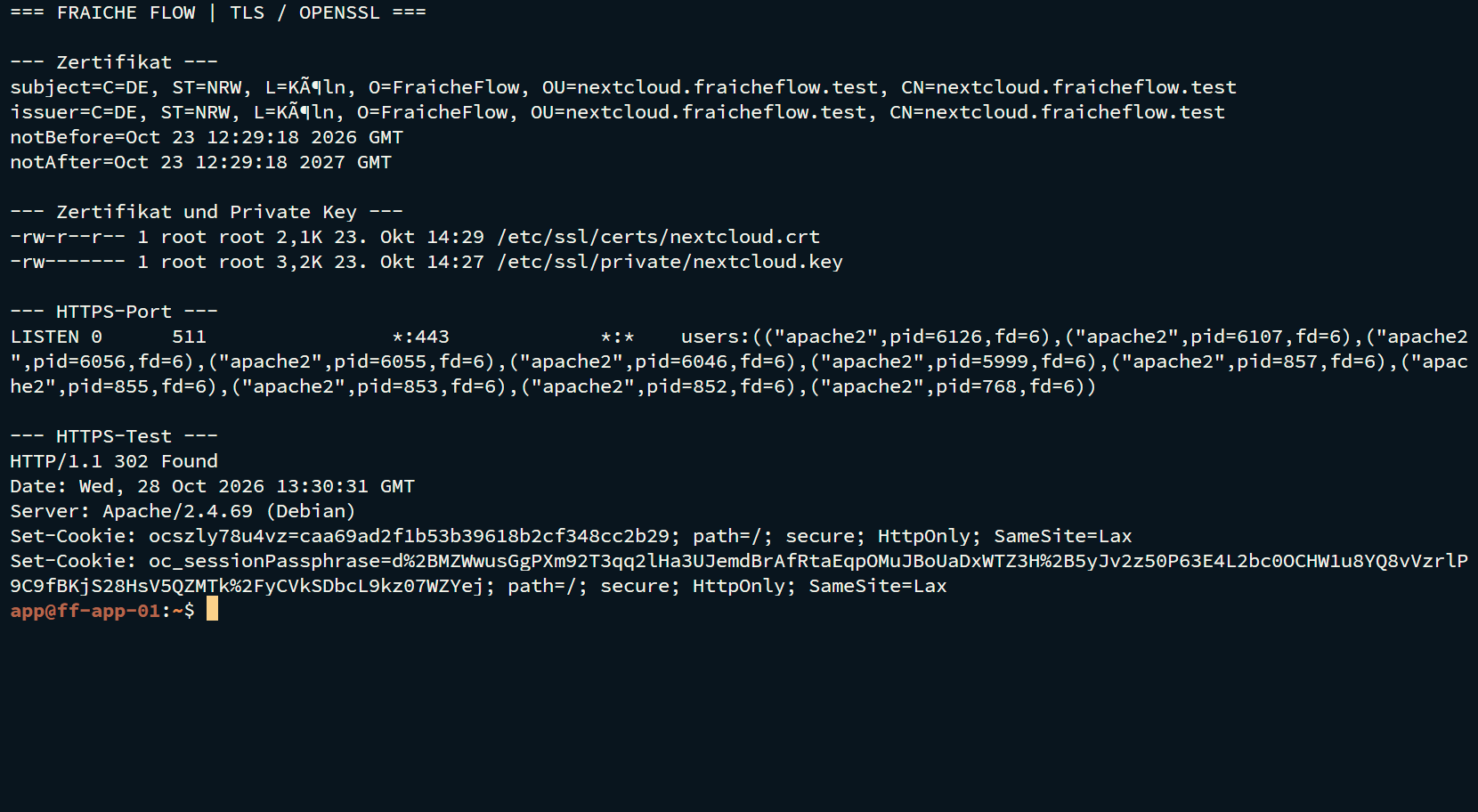
| Certificate | /etc/ssl/certs/nextcloud.crt |
|---|---|
| Private key | /etc/ssl/private/nextcloud.key |
| Evidenced key permissions | root:root · 600 |
| TLS endpoint | ff-app-01 · TCP/443 |
Result
The certificate files were listed. Apache listed VirtualHosts on ports 80 and 443. HTTPS curl returned 302, redirecting to the Nextcloud login.
Verification and operational evidence
sudo openssl x509 -in /etc/ssl/certs/nextcloud.crt -noout -subject -issuer -dates
sudo apache2ctl configtest
sudo apache2ctl -S
curl -k -I https://127.0.0.1
Practical troubleshooting
The regular user could not list /etc/ssl/private. This was a permission boundary, not evidence of a missing file. The key was visible with sudo.
Security and technical context
Self-signed certificates provide encryption but are not automatically trusted by browsers. curl -k skips certificate verification. DuckDNS/Let’s Encrypt was discussed; an issued public certificate chain is not evidenced.
Transferable skills
PKI fundamentals, TLS termination, file permissions and secure certificate management.
Project status
Completed according to confirmation from the project lead.