Automated backup and restore
MILOUD NECILI
Fraîche Flow · IT Systems Integration
Project objective
Back up configurations and web content automatically and verify recoverability using specific files.
My implementation
- Used the
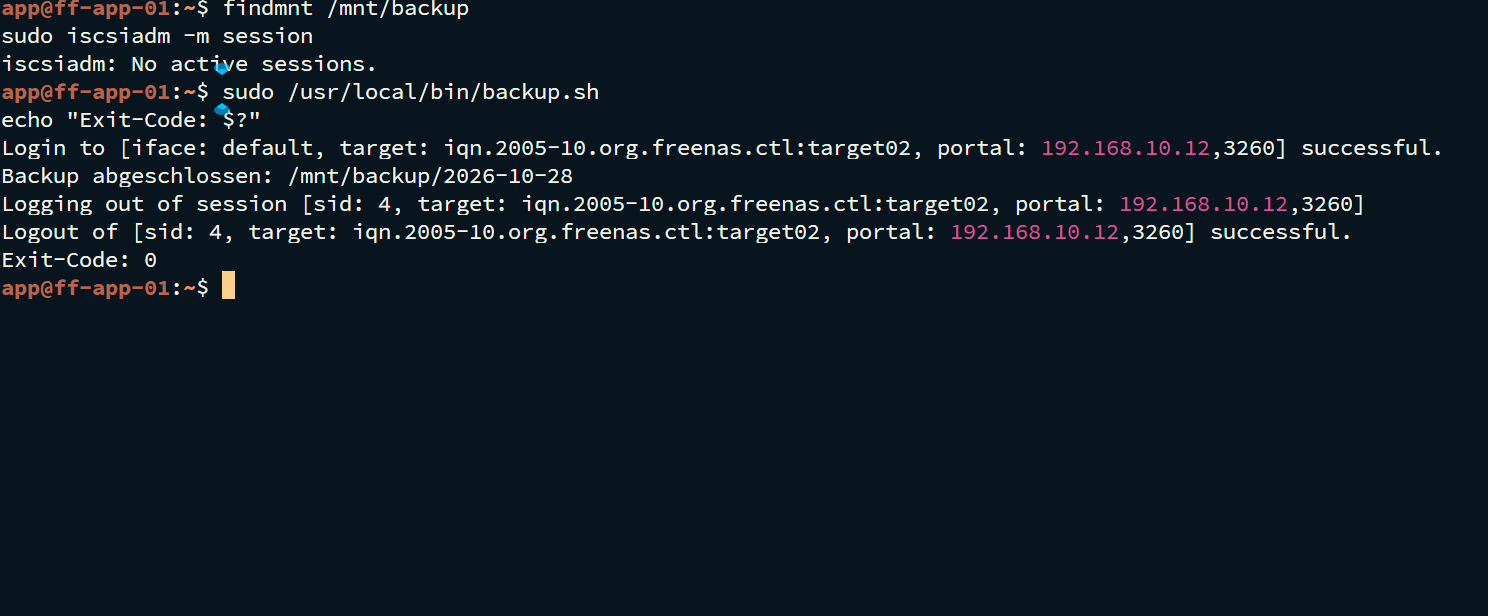
/usr/local/bin/backup.shbackup script and extended it to include/var/www. - Copied
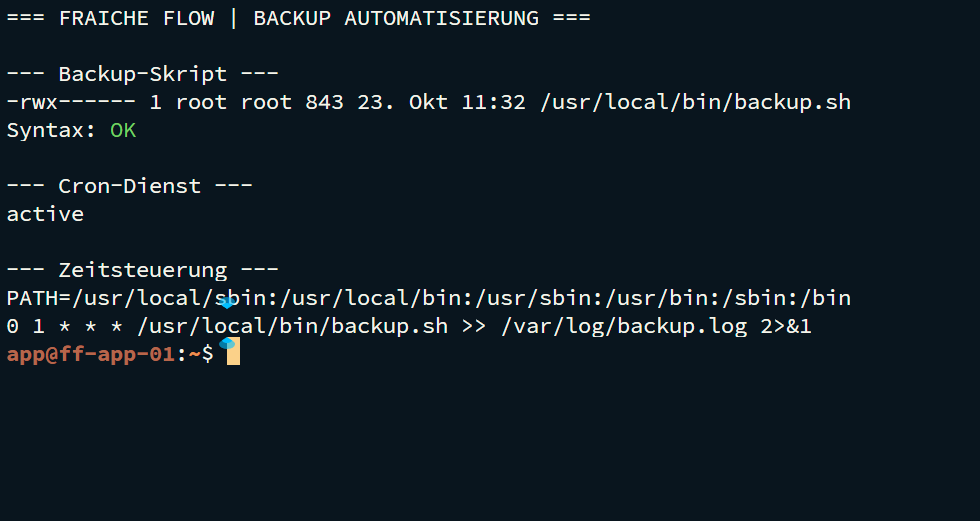
/etcand/var/wwwinto dated backup directories with rsync. - Set up the root Cron job for 01:00 daily with log redirection.
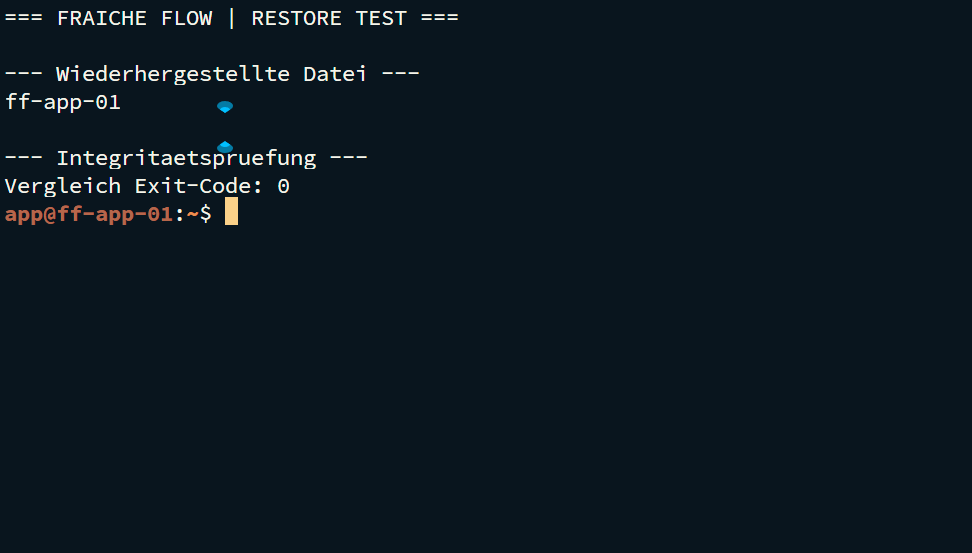
- Performed file-based recovery and compared the backed-up web page.
Technical context
| Backup scope | /etc and /var/www |
|---|---|
| Destination | /mnt/backup/<date>/ |
| Schedule | 0 1 * * * /usr/local/bin/backup.sh |
| Log | /var/log/backup.log |
Result
Backup automation, logging and a file-based restore test were addressed during the project. Recovery was checked by comparing files. Specific original log files are not attached to this job application version.
Verification and operational evidence
sudo bash -n /usr/local/bin/backup.sh
sudo crontab -l
systemctl is-active cron
findmnt /mnt/backup; sudo iscsiadm -m session
Practical troubleshooting
Backup scope and recovery scope were considered separately. Successful copying does not replace a restore test; file permissions and the destination path also require verification.
Security and technical context
A configured Cron job does not prove a scheduled execution. The evidenced test is file-based, not a full restore. Running databases and Docker volumes need their own consistent backup strategy.
Transferable skills
Bash automation, rsync, Cron, logging, recovery and evidence collection.
Project status
Completed according to confirmation from the project lead.