Portainer for container management
MILOUD NECILI
Fraîche Flow · IT Systems Integration
Project objective
Provide a graphical management interface for the existing Docker environment and verify access.
My implementation
- Ran Portainer CE as a separate container on ff-app-01.
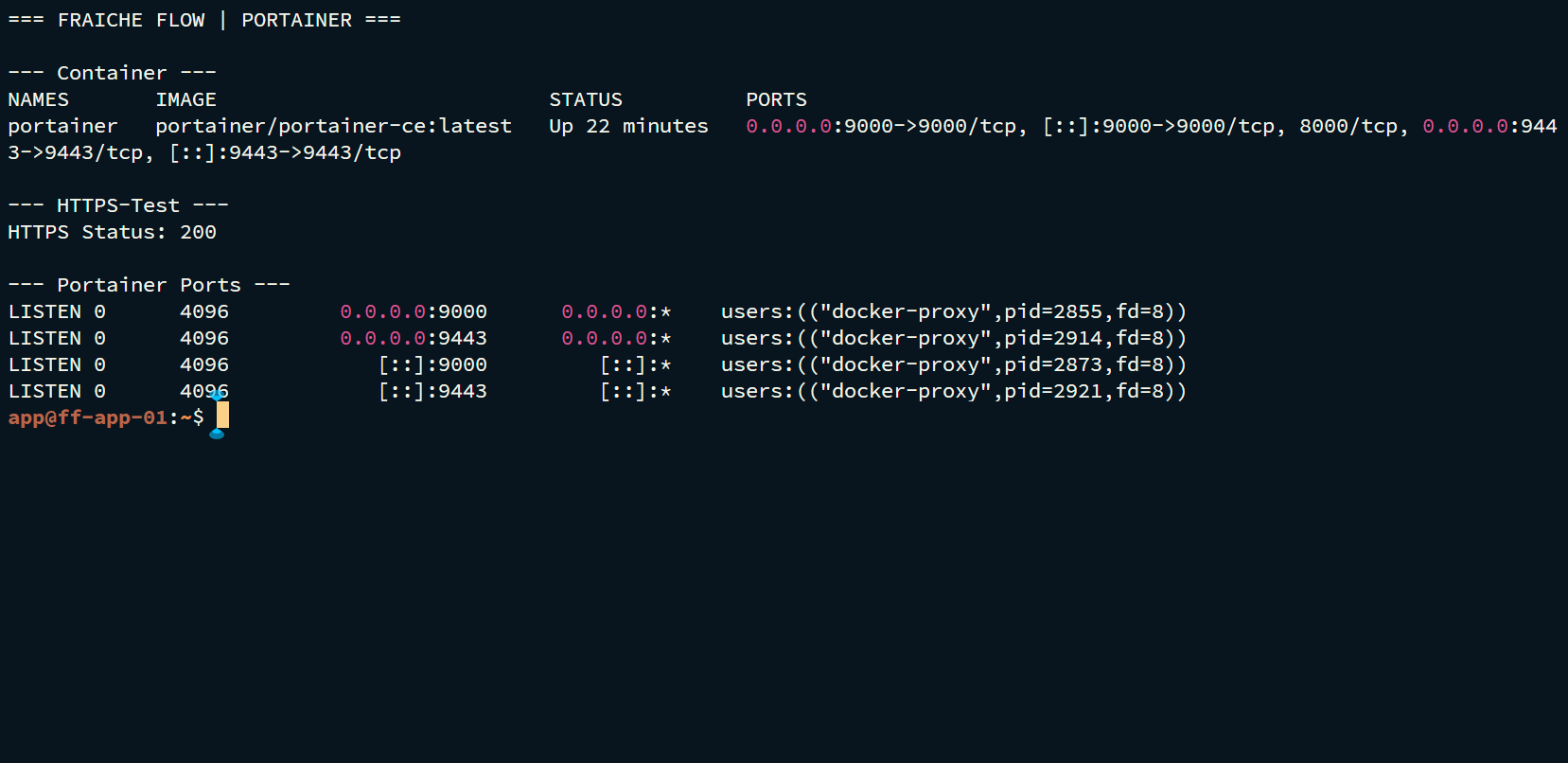
- Checked published ports and running status through Docker.
- Tested the HTTPS interface on port 9443 with
curl. - Added the endpoint to central monitoring.
Technical context
| Container | portainer |
|---|---|
| Image during the project | portainer/portainer-ce:latest |
| Published ports | 9000/TCP and 9443/TCP |
| HTTP test | HTTPS on 9443 returned 200 |
Result
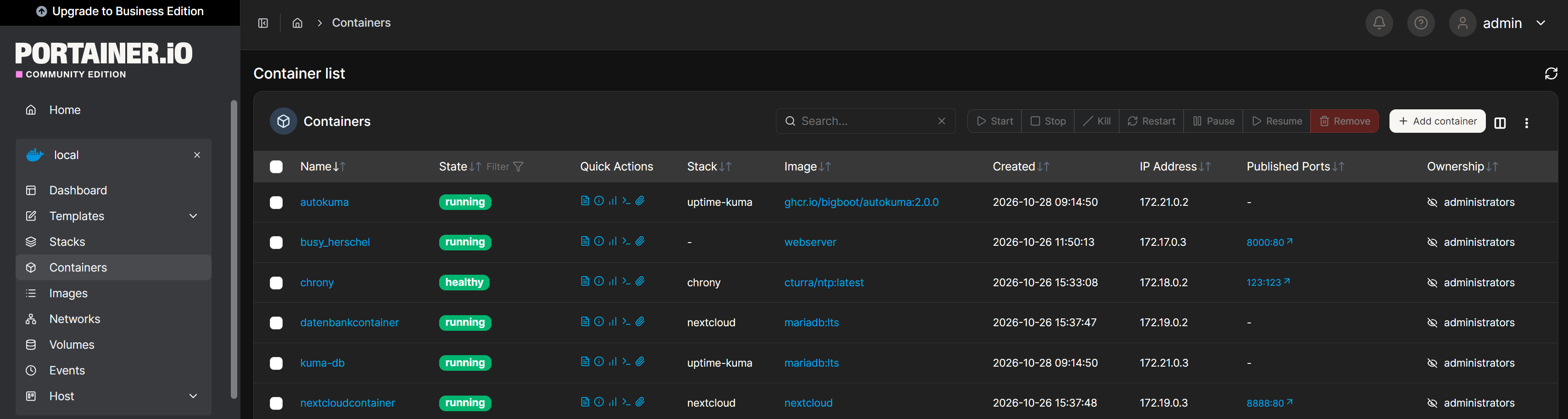
Portainer appeared as Up in the container list across several sessions. The HTTPS test returned 200; the final Portainer monitor was online.
Verification and operational evidence
docker ps --filter name=portainer
curl -k -I https://127.0.0.1:9443
Practical troubleshooting
Portainer credentials and database credentials belong to different accounts. A forgotten Portainer password was not replaced by guessing; a password reset is not documented as performed here.
Security and technical context
Portainer is a privileged management interface. Restrict access, use strong passwords and do not treat Docker socket access as harmless.
Transferable skills
Container inventory, management access and assessment of administrative protection requirements.
Project status
Completed according to confirmation from the project lead.