58 lines1.86 KB
Linux administration and the shell
MILOUD NECILI
PROJECT / Fundamentals · Linux · Bash
Fraîche Flow · IT Systems Integration
Project objective
Establish a consistent command-line workflow for installing, configuring, diagnosing and automating the lab infrastructure.
My implementation
- Administered Linux systems with Bash and identified the user, hostname and working directory from the prompt.
- Edited configuration files with nano and checked their contents with cat, grep and tail.
- Used pipes, redirection and filters to produce traceable diagnostic sequences.
- Used package management, file permissions, ownership and systemd services in practice.
Technical context
| Platform | Debian Linux |
|---|---|
| Tools | Bash, nano, grep, tail, apt, systemctl |
| Workflow | Diagnose before changing; verify the result afterwards |
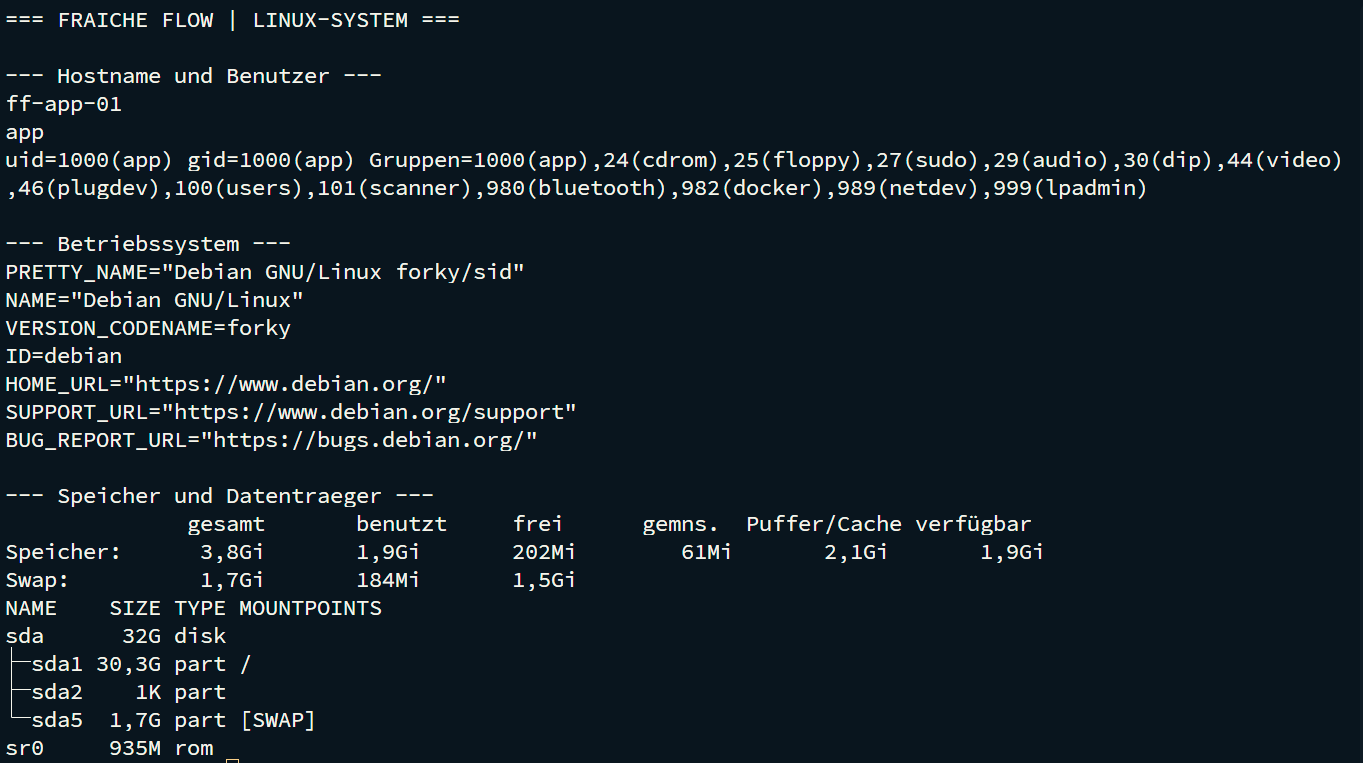
Result
The shell was used throughout setup and troubleshooting. Specific output for services, networking, file systems and containers is documented in the project record.
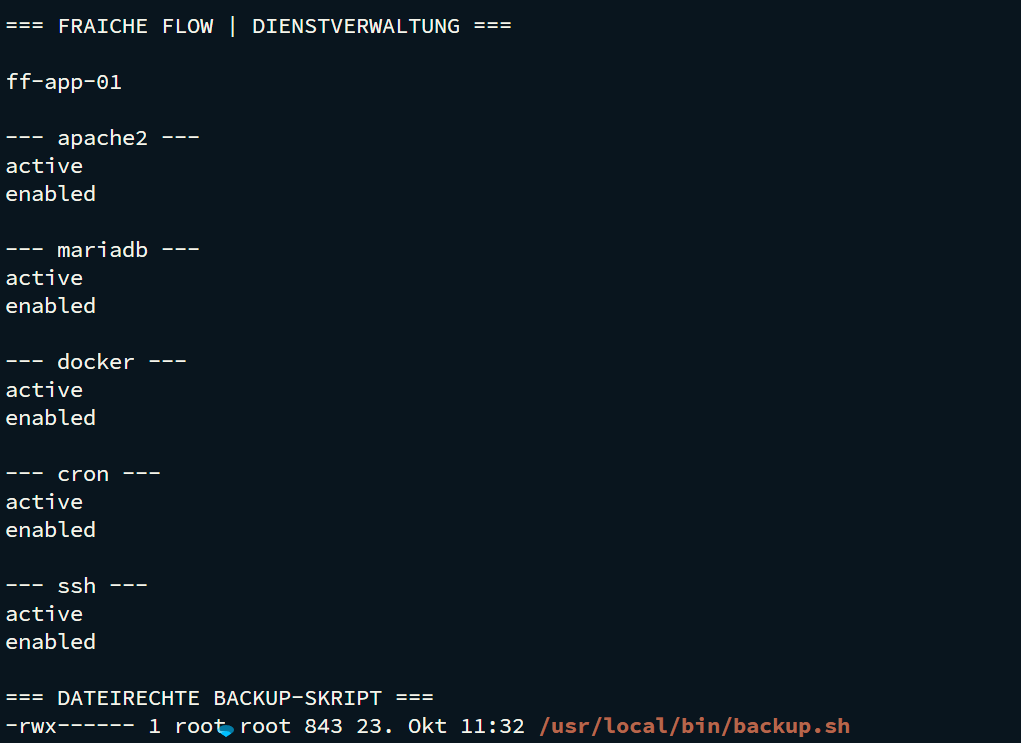
Verification and operational evidence
hostname; whoami; pwd
ip -br a; ip route
systemctl is-active apache2 mariadb docker cron
df -h /tmp /var; lsblk
Practical troubleshooting
Nextcloud was downloaded and extracted under /var/www. The distinction between temporary tmpfs and persistent storage had to be considered when choosing the working directory.
Transferable skills
Linux operations, file system analysis, service management and structured fault isolation.
Project status
Completed according to confirmation from the project lead.
01_Linux_Shell.mdx