SSH administration and access security
MILOUD NECILI
Fraîche Flow · IT Systems Integration
Project objective
Secure administrative access transparently and check authentication, permissions and fallback access separately.
My implementation
- Used OpenSSH for remote administration and jump connections.
- Set up and checked SSH client configuration, key-based access and hardening.
- Used sudo deliberately for administrative commands.
- Distinguished name resolution, login and service permission failures.
Technical context
| Target systems | ff-core-01, ff-app-01 and ff-mail-01 |
|---|---|
| Client | ff-mgmt-01 / Termius |
| Protection principle | No private keys in documentation |
| Evidence limit | Effective configuration documented by the attached terminal output |
Result
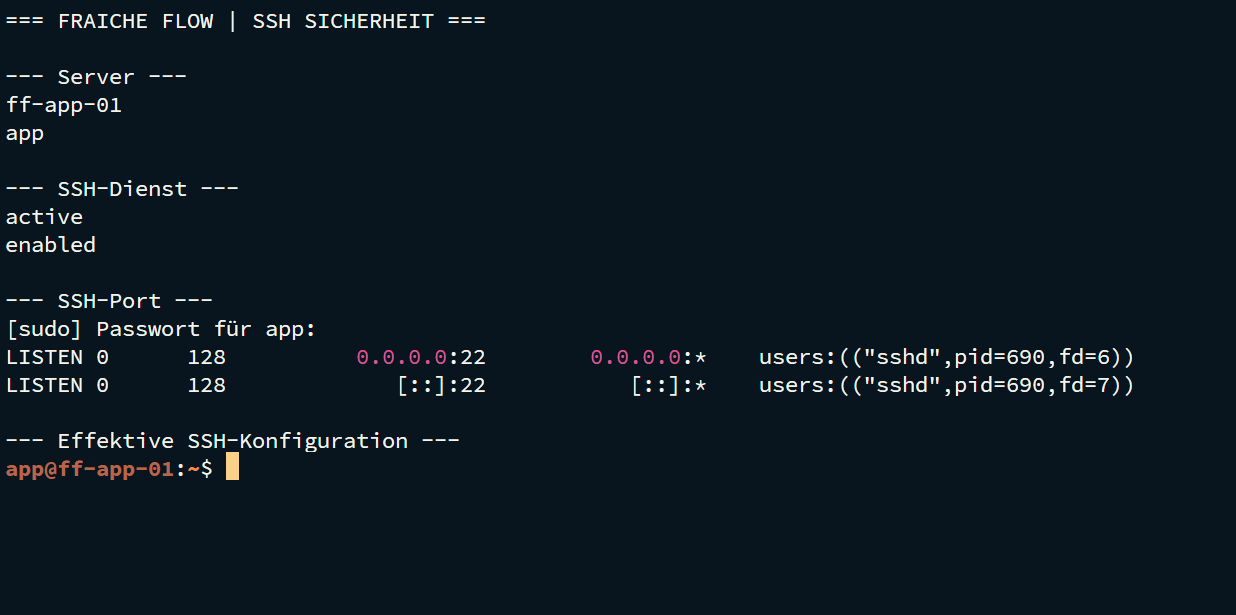
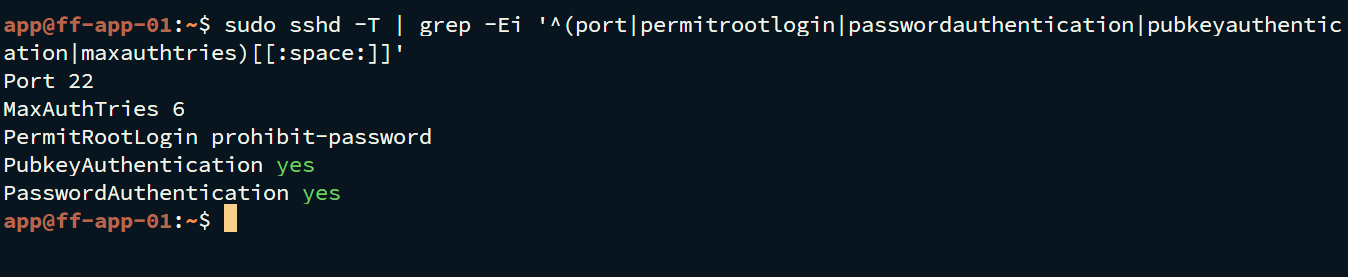
Login as app on ff-app-01 is evidenced. The SSH service is active and reachable on port 22. The effective configuration shows PermitRootLogin prohibit-password, PubkeyAuthentication yes and PasswordAuthentication yes. Globally disabled password login is therefore not claimed.
Verification and operational evidence
ssh -V
ssh -v [email protected]
sudo sshd -t
sudo sshd -T | grep -Ei '^(port|permitrootlogin|passwordauthentication|pubkeyauthentication|maxauthtries)[[:space:]]'
Practical troubleshooting
An Apache reload without sudo failed due to authorisation. With sudo and a prior syntax check, the change succeeded.
Security and technical context
Keep a second session open and check syntax before hardening changes. Compare host key fingerprints independently. Assess the effective configuration, not just file contents.
Transferable skills
Authentication, least privilege, secure administration and fallback planning.
Project status
Completed according to confirmation from the project lead.