Edge access and SSH port forwarding
MILOUD NECILI
Fraîche Flow · IT Systems Integration
Project objective
Access internal web services from a Windows workstation in a controlled manner without changing local hosts files.
My implementation
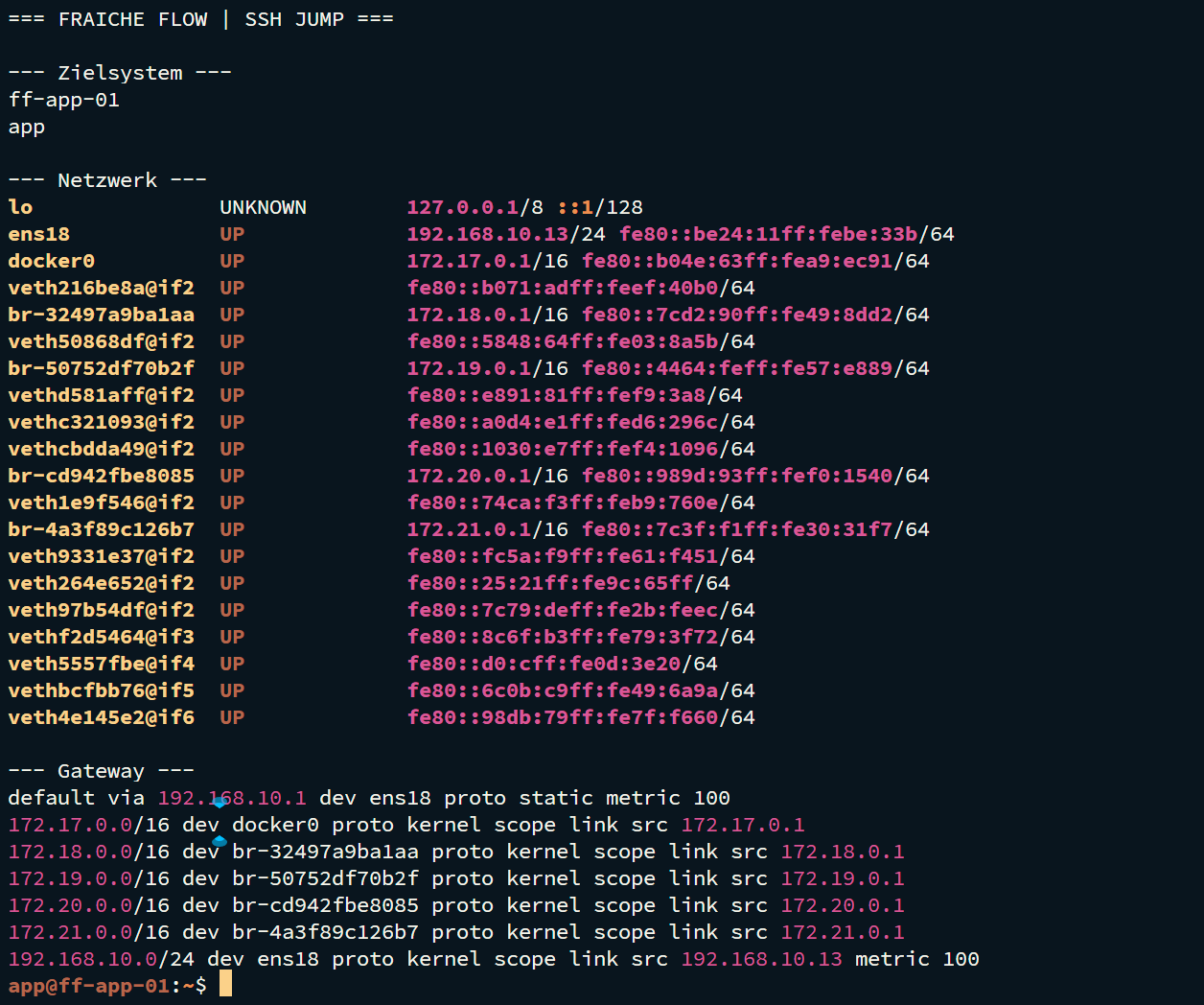
- Used SSH jump access through ff-edge-01.
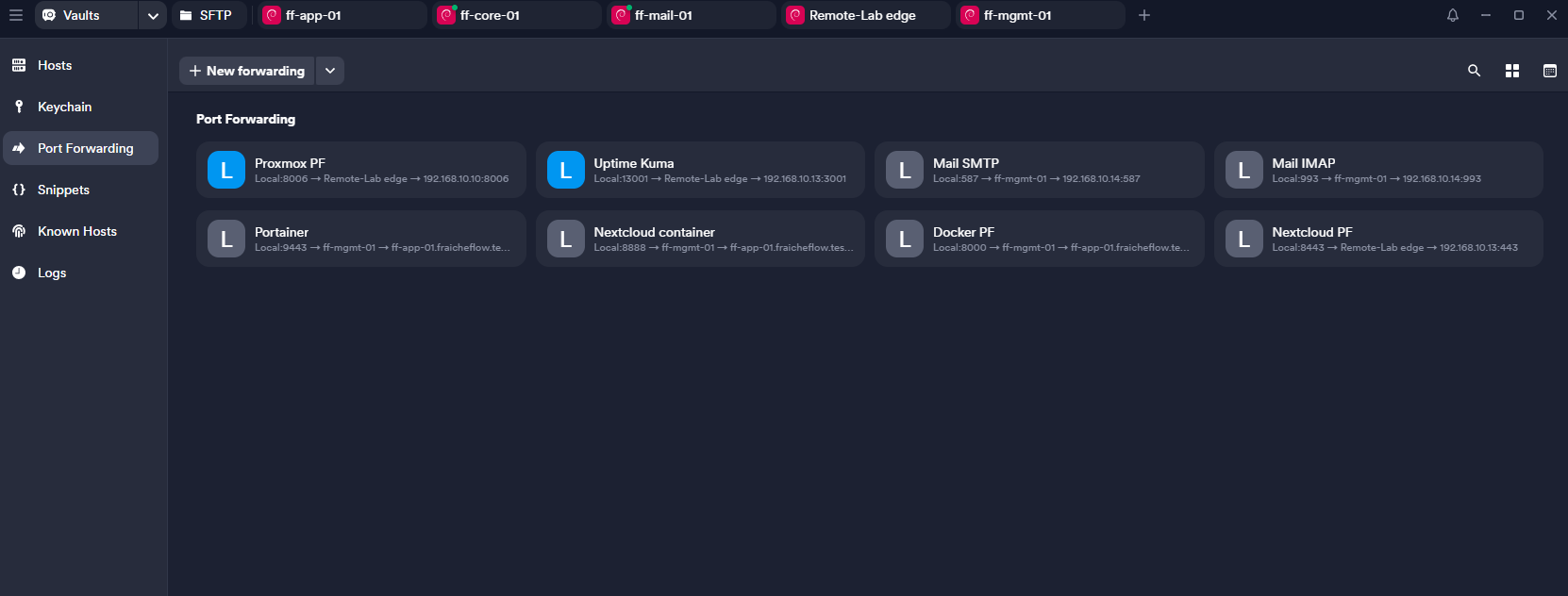
- Set up local port forwarding in Termius for internal web services.
- Opened Nextcloud in the local browser, first over HTTP and then over HTTPS.
- Made Uptime Kuma reachable through local port 13001 to internal destination port 3001.
Technical context
| Access path | Browser → local SSH tunnel → edge → internal service |
|---|---|
| Local Kuma | 127.0.0.1:13001 |
| Internal Kuma | 192.168.10.13:3001 |
| Scope | An SSH tunnel is not DNAT or a public reverse proxy |
Result
Access to Nextcloud and Uptime Kuma through Termius was confirmed during the project. This collection contains no dedicated end-to-end test of public DNAT access.
Verification and operational evidence
curl -I http://192.168.10.13:3001
curl -I http://192.168.10.13:8888
curl -k -I https://192.168.10.13:9443
Practical troubleshooting
Termius could not listen locally on port 3001. The local binding was changed to 13001 while the internal destination remained 3001. In Apache, the localhost Host header initially selected the default page.
Security and technical context
Restrict local binding to 127.0.0.1. Avoid unnecessarily exposing edge access and administration interfaces publicly. Document public NAT separately.
Transferable skills
SSH tunnelling, port mapping, understanding Host headers and remote troubleshooting.
Project status
Completed according to confirmation from the project lead.