58 lines1.53 KB
VPN and remote access
VPN server
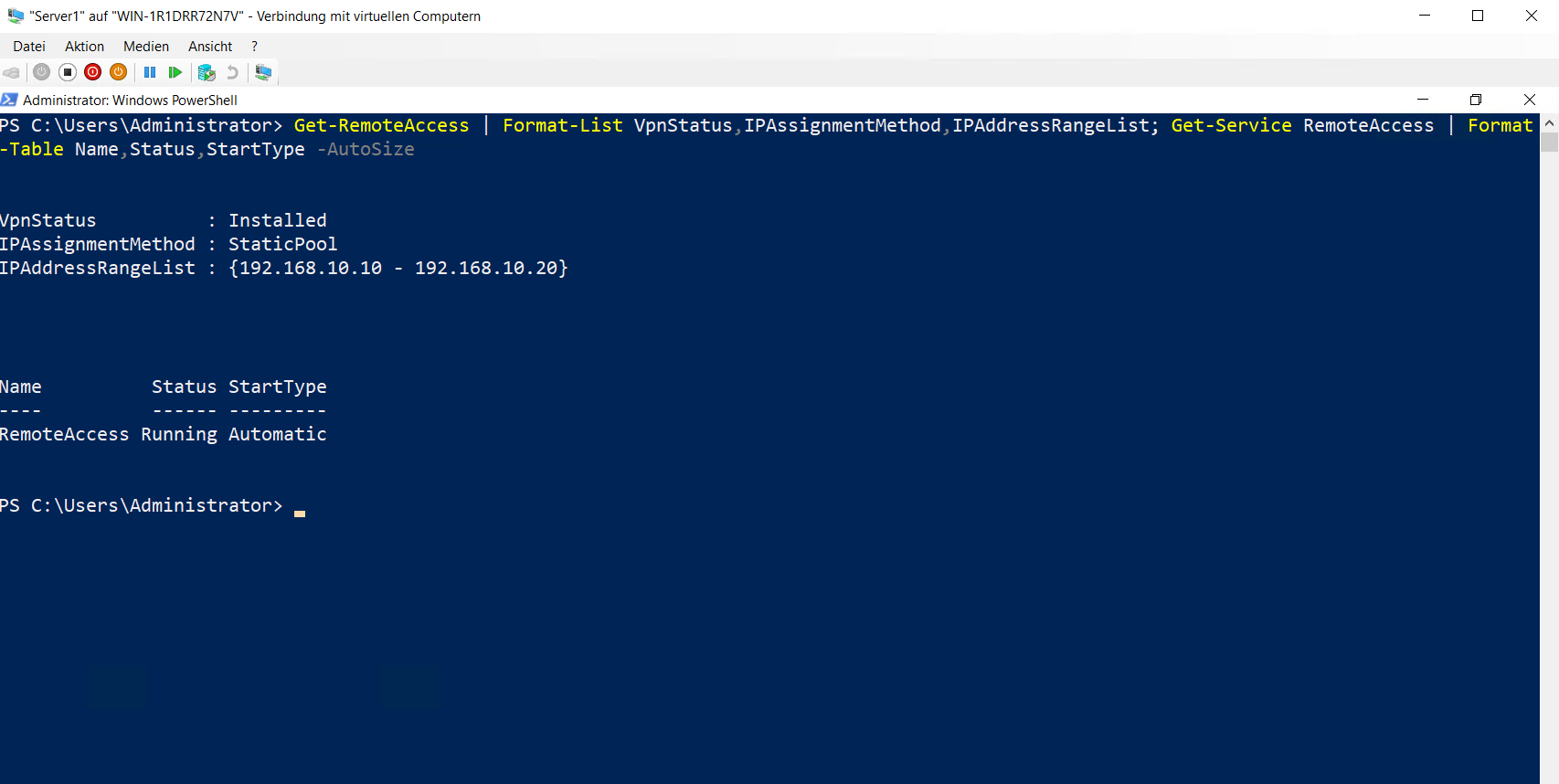
VPN access was configured on Server1 through Routing and Remote Access. A static address pool was configured for VPN clients.
- VPN type: PPTP
- IP address pool:
192.168.10.10to192.168.10.20 - IP assignment: Static Pool
- Service:
RemoteAccess
Get-RemoteAccess |
Format-List VpnStatus,IPAssignmentMethod,IPAddressRangeList

Get-Service RemoteAccess |
Format-Table Name,Status,StartType -AutoSize
VPN client
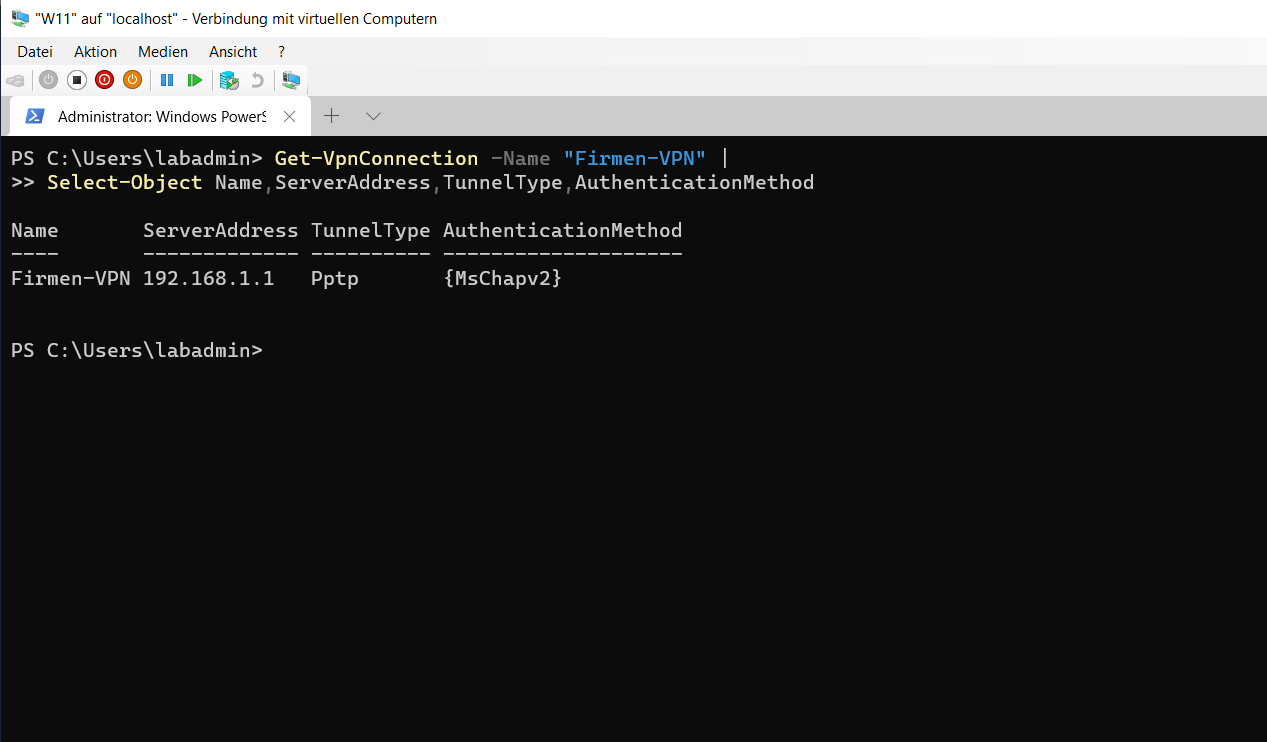
The Firmen-VPN connection was configured on W11 with Server1 as the VPN server.
Add-VpnConnection `
-Name "Firmen-VPN" `
-ServerAddress "192.168.1.1" `
-TunnelType Pptp `
-AuthenticationMethod MSChapv2 `
-EncryptionLevel Required `
-RememberCredential `
-Force
Get-VpnConnection -Name "Firmen-VPN" |
Select-Object Name,ServerAddress,TunnelType,AuthenticationMethod
Connection test
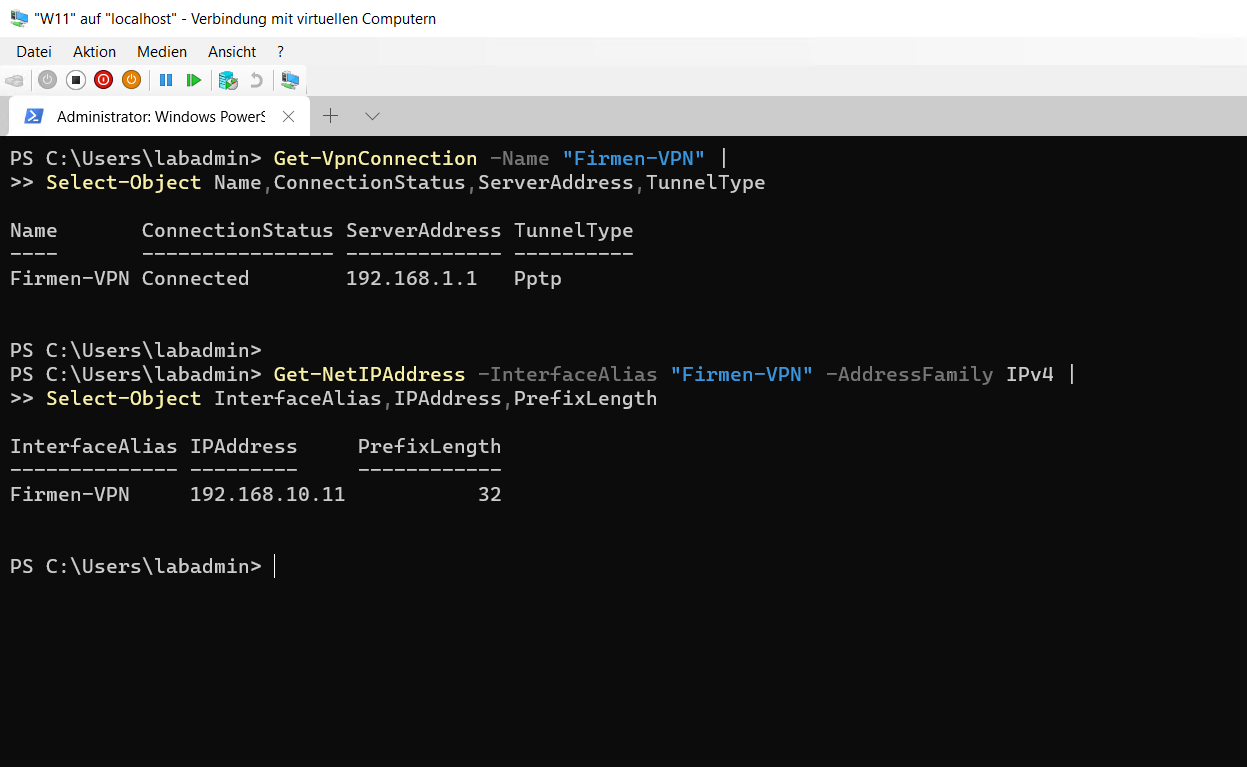
The user [email protected] successfully established the VPN connection. The client received VPN address 192.168.10.11 from the configured pool.
rasdial "Firmen-VPN" "[email protected]" *

Get-VpnConnection -Name "Firmen-VPN" |
Select-Object Name,ConnectionStatus,ServerAddress,TunnelType

Get-NetIPAddress -InterfaceAlias "Firmen-VPN" -AddressFamily IPv4 |
Select-Object InterfaceAlias,IPAddress,PrefixLength
13_vpn-und-remote-access.md