65 lines1.75 KB
DHCP configuration
DHCP server
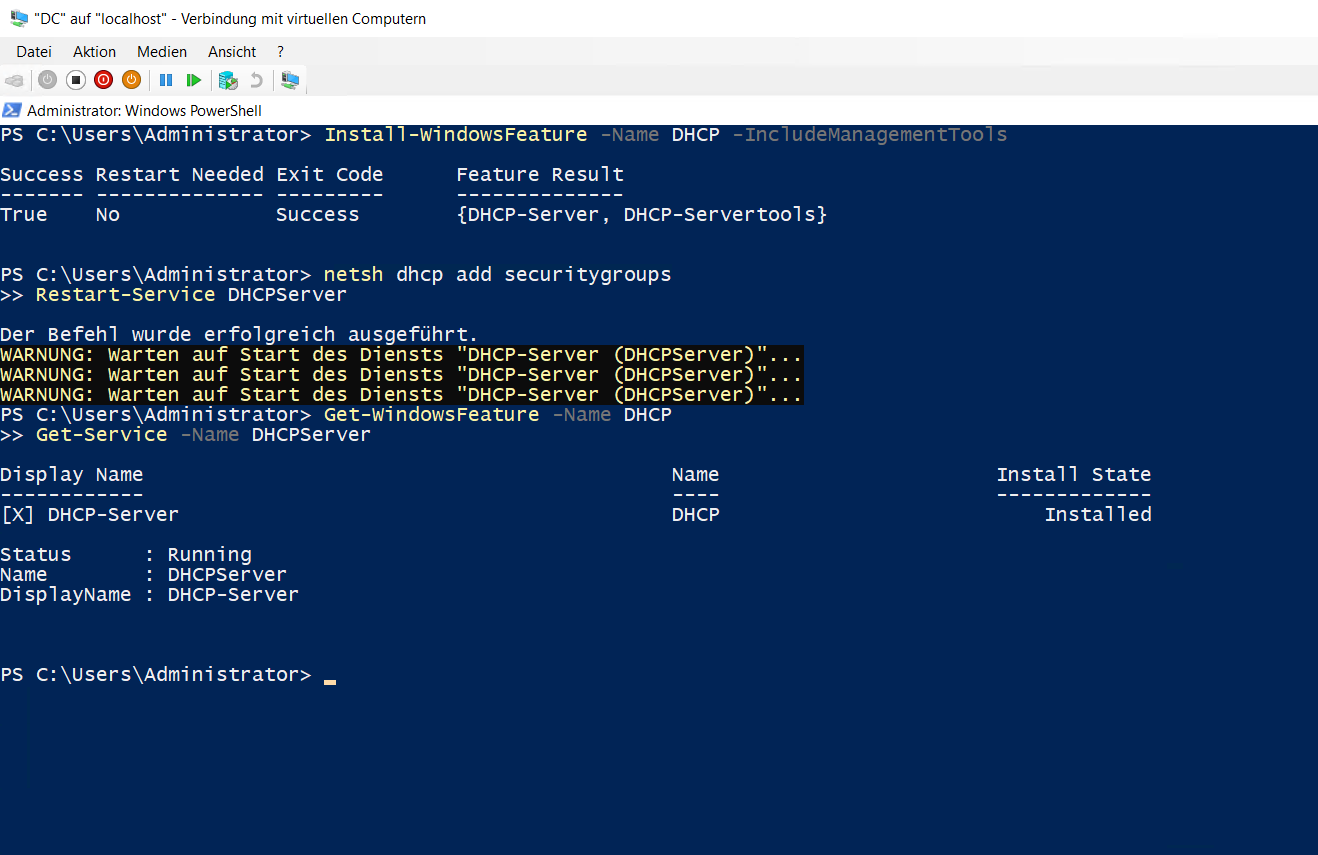
The DHCP-Server role, including management tools, was installed on DC. The DHCP security groups were then created and the service was checked.
Install-WindowsFeature -Name DHCP -IncludeManagementTools
netsh dhcp add securitygroups
Restart-Service DHCPServer
Get-Service -Name DHCPServer
Address scopes
The Bereich 1 scope was created for 192.168.1.0/24:
- Address range:
192.168.1.50to192.168.1.120 - Exclusion range:
192.168.1.80to192.168.1.90 - Lease duration: 7 days
Bereich 2 for 192.168.2.0/24 and the active multicast scope 224.1.1.1 to 224.1.1.9 were also created.
Scope options
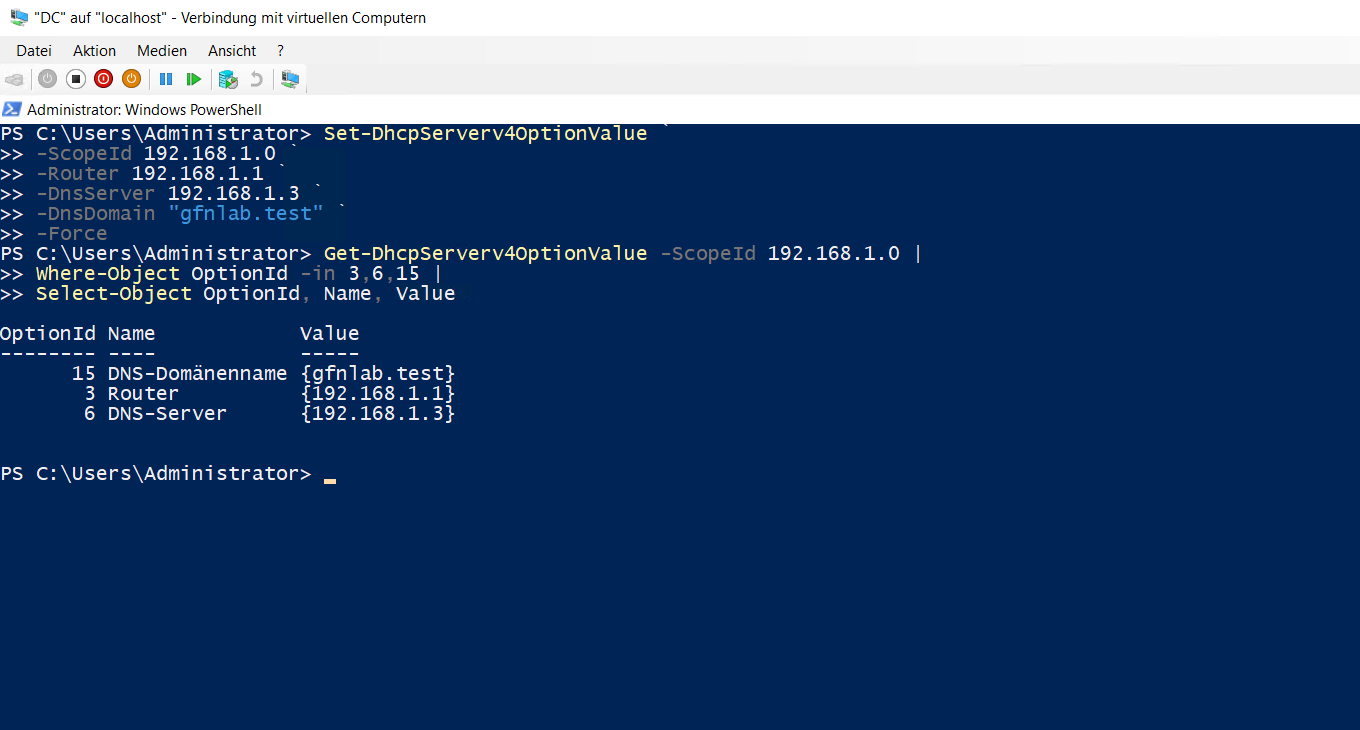
Router, DNS server and DNS domain options were configured for Bereich 1.
Set-DhcpServerv4OptionValue `
-ScopeId 192.168.1.0 `
-Router 192.168.1.1 `
-DnsServer 192.168.1.3 `
-DnsDomain "gfnlab.test" `
-Force

Get-DhcpServerv4OptionValue -ScopeId 192.168.1.0 |
Where-Object OptionId -in 3,6,15 |
Select-Object OptionId, Name, Value
Reservation for W11
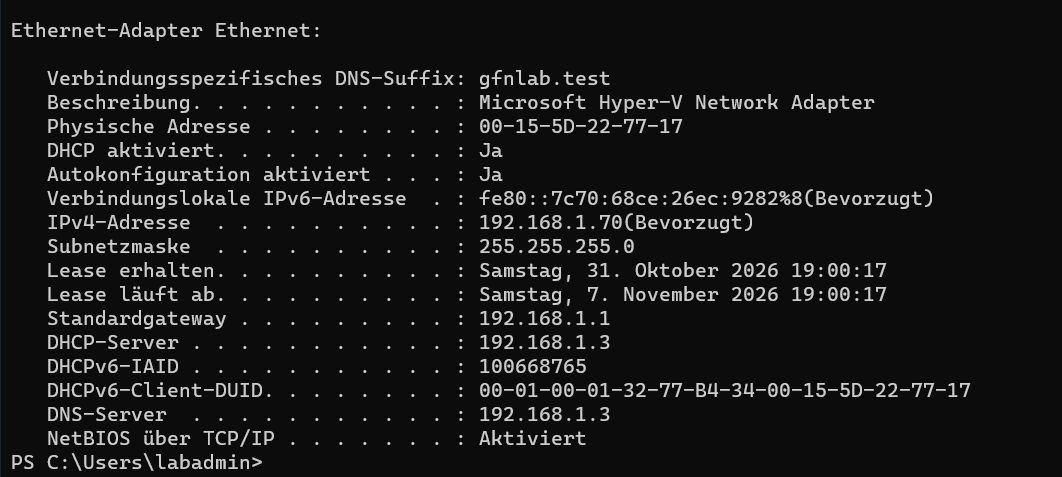
A reservation for the Windows 11 client was created using MAC address 00-15-5D-22-77-17 and IP address 192.168.1.70.
Add-DhcpServerv4Reservation `
-ScopeId 192.168.1.0 `
-IPAddress 192.168.1.70 `
-ClientId "00-15-5D-22-77-17" `
-Name "W11"
After renewing its DHCP configuration, the client received the reserved address together with the configured default gateway, DNS server and DNS suffix.
ipconfig /release
ipconfig /renew
ipconfig /all
09_dhcp-konfiguration.md