54 lines1.41 KB
Active Directory domain
Active Directory Domain Services
The Active Directory-Domänendienste role, including management tools, was installed on server DC.
Install-WindowsFeature AD-Domain-Services -IncludeManagementTools
A new forest was then created with domain gfnlab.test and NetBIOS name GFNLAB.
$DSRM = Read-Host "DSRM-Kennwort" -AsSecureString

Install-ADDSForest `
-DomainName "gfnlab.test" `
-DomainNetbiosName "GFNLAB" `
-InstallDns:$true `
-SafeModeAdministratorPassword $DSRM `
-Force
Domain status
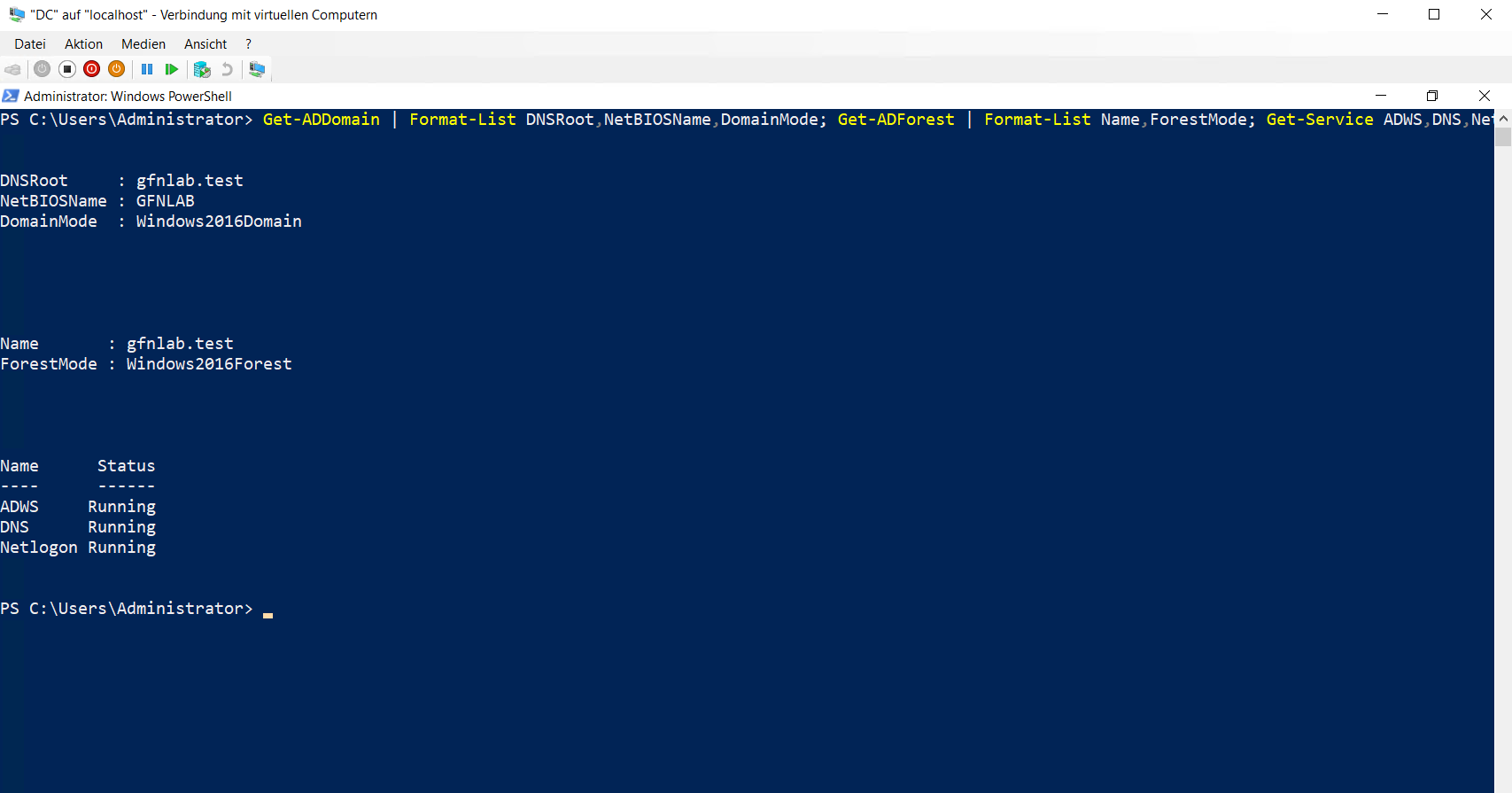
The domain and forest use the Windows Server 2016 functional level. The ADWS, DNS and Netlogon services were checked after installation.
Get-ADDomain | Format-List DNSRoot,NetBIOSName,DomainMode
Get-ADForest | Format-List Name,ForestMode
Get-Service ADWS,DNS,Netlogon | Format-Table Name,Status -AutoSize
W11 domain join
The Windows 11 client was joined to the gfnlab.test domain.
Add-Computer `
-DomainName "gfnlab.test" `
-Credential "GFNLAB\Administrator" `
-Restart
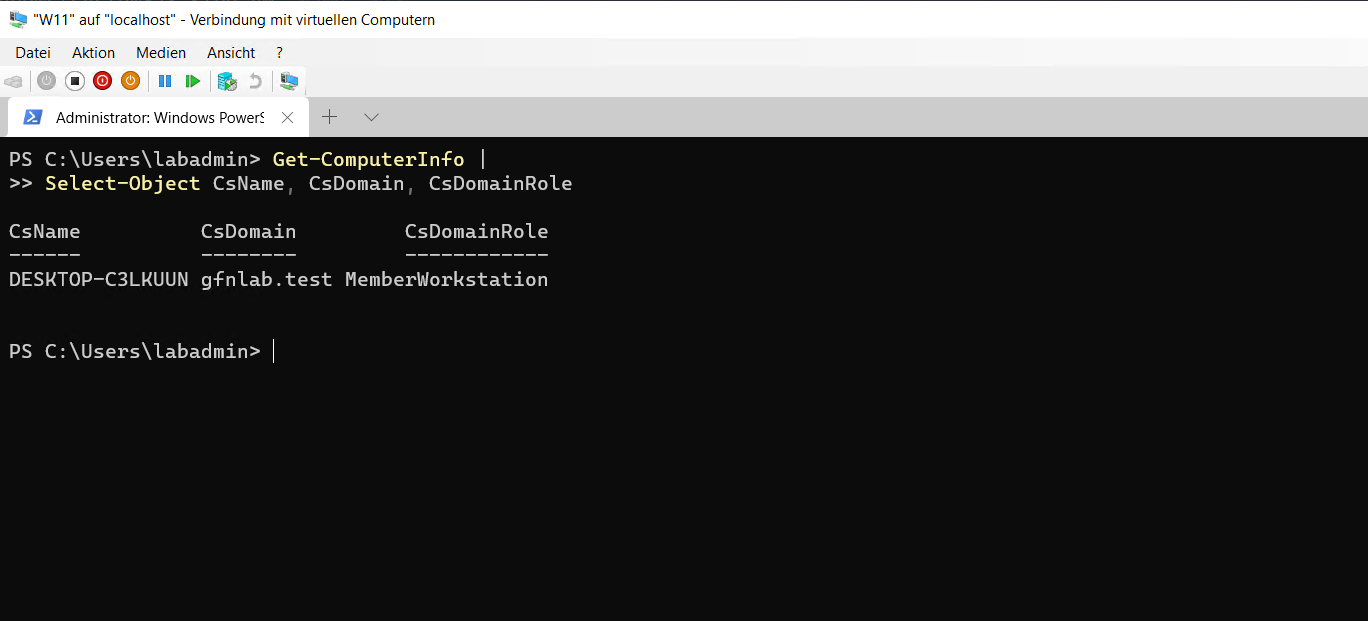
Domain membership was checked after restarting. The client is listed as MemberWorkstation.
Get-ComputerInfo |
Select-Object CsName, CsDomain, CsDomainRole
10_active-directory-domain.md