50 lines1.45 KB
IP addressing and routing
Networks
The private virtual switches Berlin and Hamburg were set up for the environment.
The systems use the following IPv4 configuration:
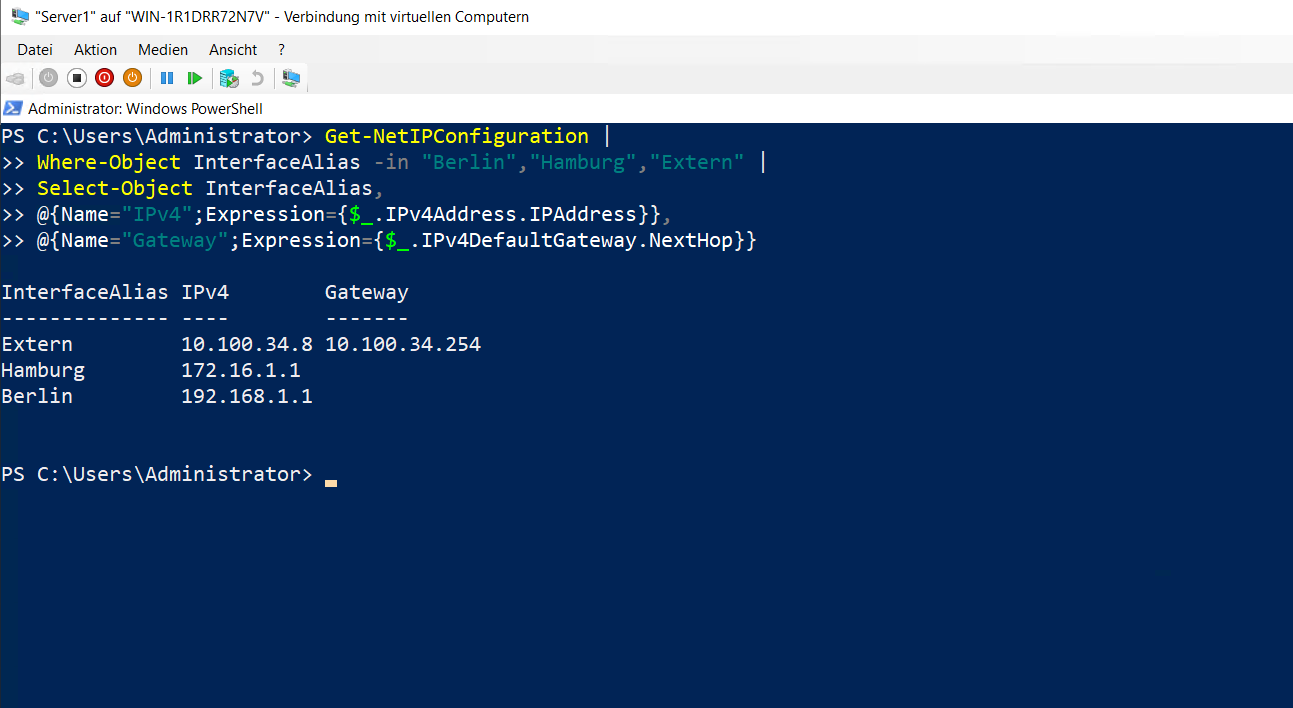
DC:192.168.1.3/24, gateway192.168.1.1Server1 Berlin:192.168.1.1/24Server1 Hamburg:172.16.1.1/24Server1 Extern: external network adapter using DHCPServer2:172.16.1.2/24, gateway172.16.1.1
Server1
Server1 has three network adapters for the two internal networks and the external connection.
Get-NetIPConfiguration |
Where-Object InterfaceAlias -in "Berlin","Hamburg","Extern" |
Select-Object InterfaceAlias,
@{Name="IPv4";Expression={$_.IPv4Address.IPAddress}},
@{Name="Gateway";Expression={$_.IPv4DefaultGateway.NextHop}}
Server2
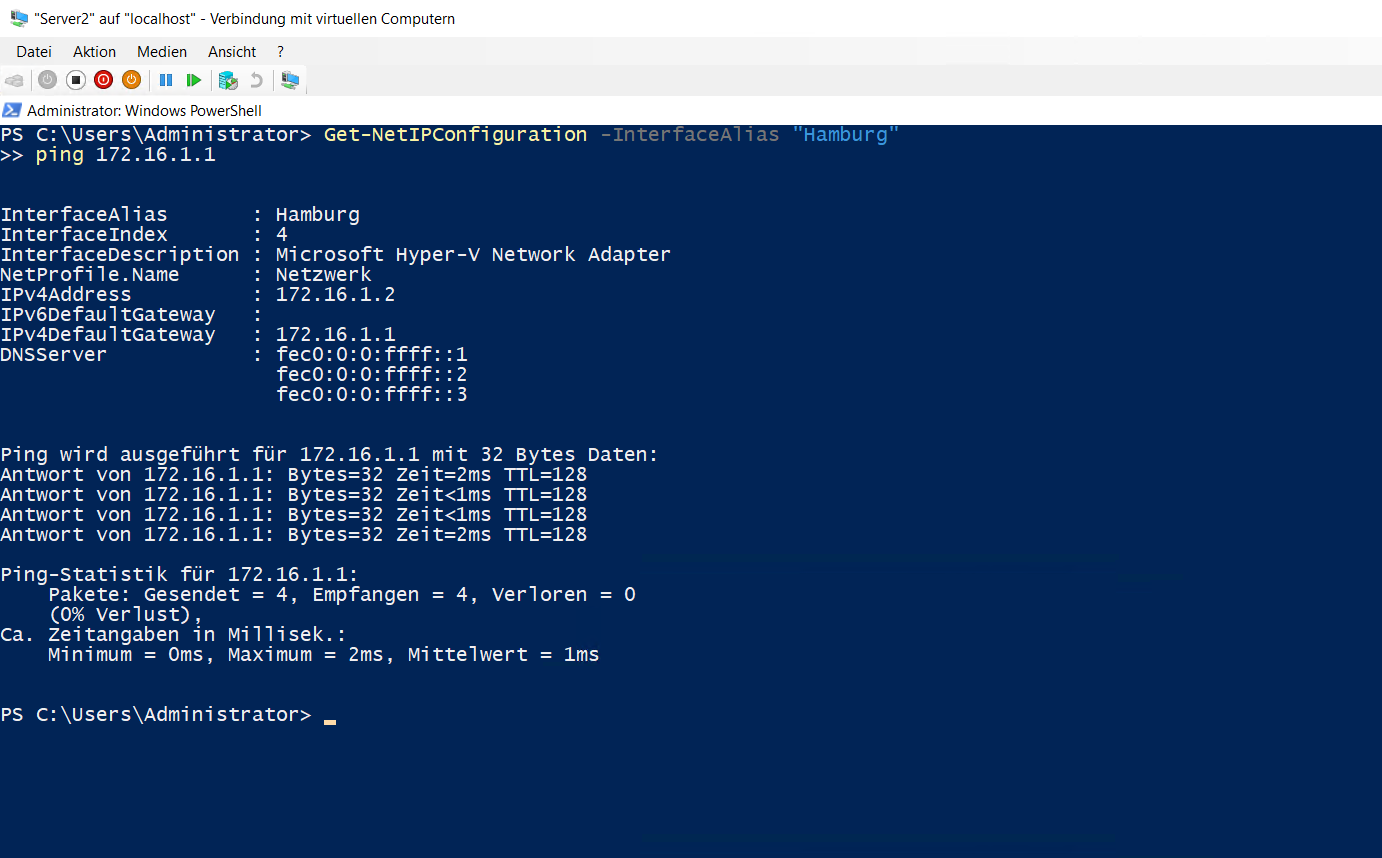
Server2 was configured in the Hamburg network. The connection test to the Hamburg interface of Server1 succeeded.
Get-NetIPConfiguration -InterfaceAlias "Hamburg"
ping 172.16.1.1
LAN routing
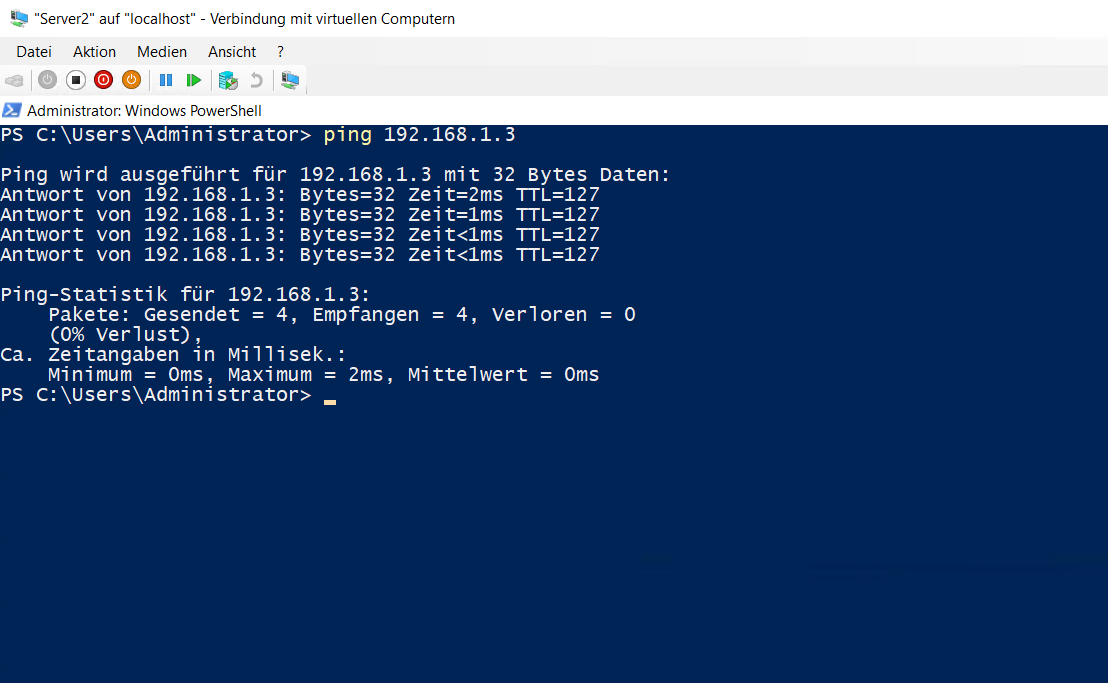
LAN-Routing was enabled on Server1 through Routing and Remote Access. Server2 could then reach DC in the Berlin network.
ping 192.168.1.3
The test completed without packet loss.
07_ip-adressierung-und-routing.md